
Note: Amounts are normalized to USD so they can be added up across accounts. Dates are shown in the platform’s time zone (Europe/Madrid).
Before you start
The calendar is fed by Stripe data, so you need at least one Stripe gateway connected in Payment providers.Open Payouts calendar
In the side menu, under Payments, open Payouts calendar.
Filters
Clicking the period opens a picker with shortcuts (Today, Last 7 days, Last 30 days, Last month, Current month) and a custom range with From and To. Click Apply to apply it.

Summary
The cards summarize the period and filters you have selected:
Note: If Stripe has charges blocked on any gateway, the Stripe has charges blocked on these gateways notice appears with the list of affected gateways.
Calendar view
Shows a month with the total for each day. The current day is marked TODAY, and days with payouts show the amount and how many there are.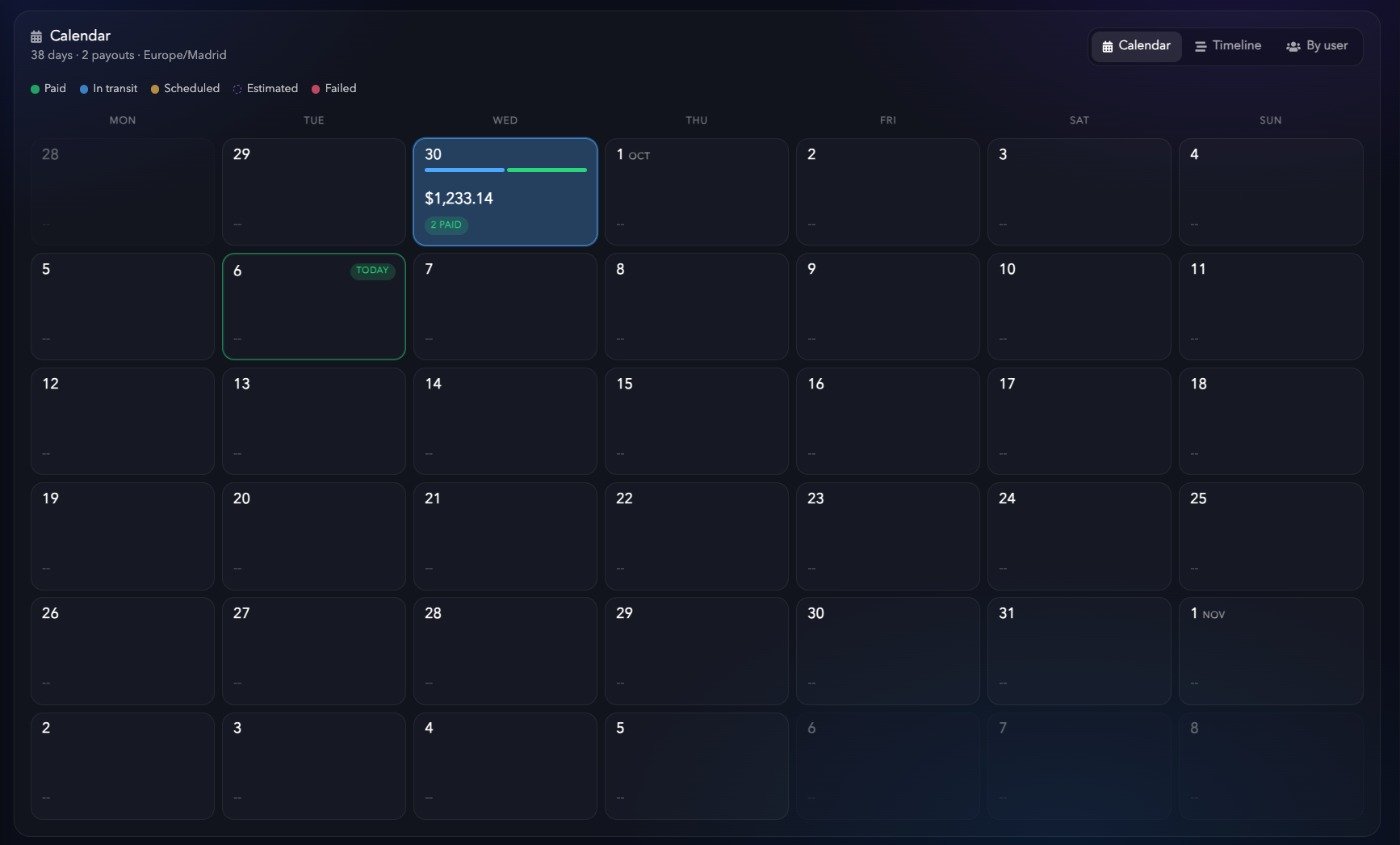
Click a day to open its details: the day’s total (Day total), the number of accounts (Accounts) and each payout with its gateway, destination bank account, status and amount.

Timeline view
Shows the same payouts as a list, grouped by day with the total for each date.
By user view
Groups payouts by user and, within each user, by gateway.
Below, each gateway shows its payout schedule (for example
Daily payouts - 2 day hold), the destination bank account, its status (ACTIVE or BLOCKED) and the amount for the period.
Refresh and export
At the top right, Stripe data as of shows the time Stripe data was last read.- Refresh: reloads the data.
- Export: exports the payouts for the selected period.