
Ticket types
When you create a new ticket, choose between two options:Support
Use a Support ticket when you need help using or setting up Hurry. For example:- Questions while setting up a store.
- Help connecting a payment gateway.
- Problems during an integration.
- Questions about automations, templates or pixels.
- Questions about a platform feature.
- Any other question related to your account.
Bug Report
Use Bug Report when you find an error or unexpected behavior in the platform. For example:- A page that doesn’t load correctly.
- A button that doesn’t respond.
- An unexpected error when performing an action.
- Information that isn’t displayed correctly.
- A feature that doesn’t behave as it should.
Recommendation: The more information you include in the report, the faster we can identify the problem. Explain what you were doing, what you expected to happen and what actually happened.
Open a ticket
To create a new ticket, go to the Support & Bugs section.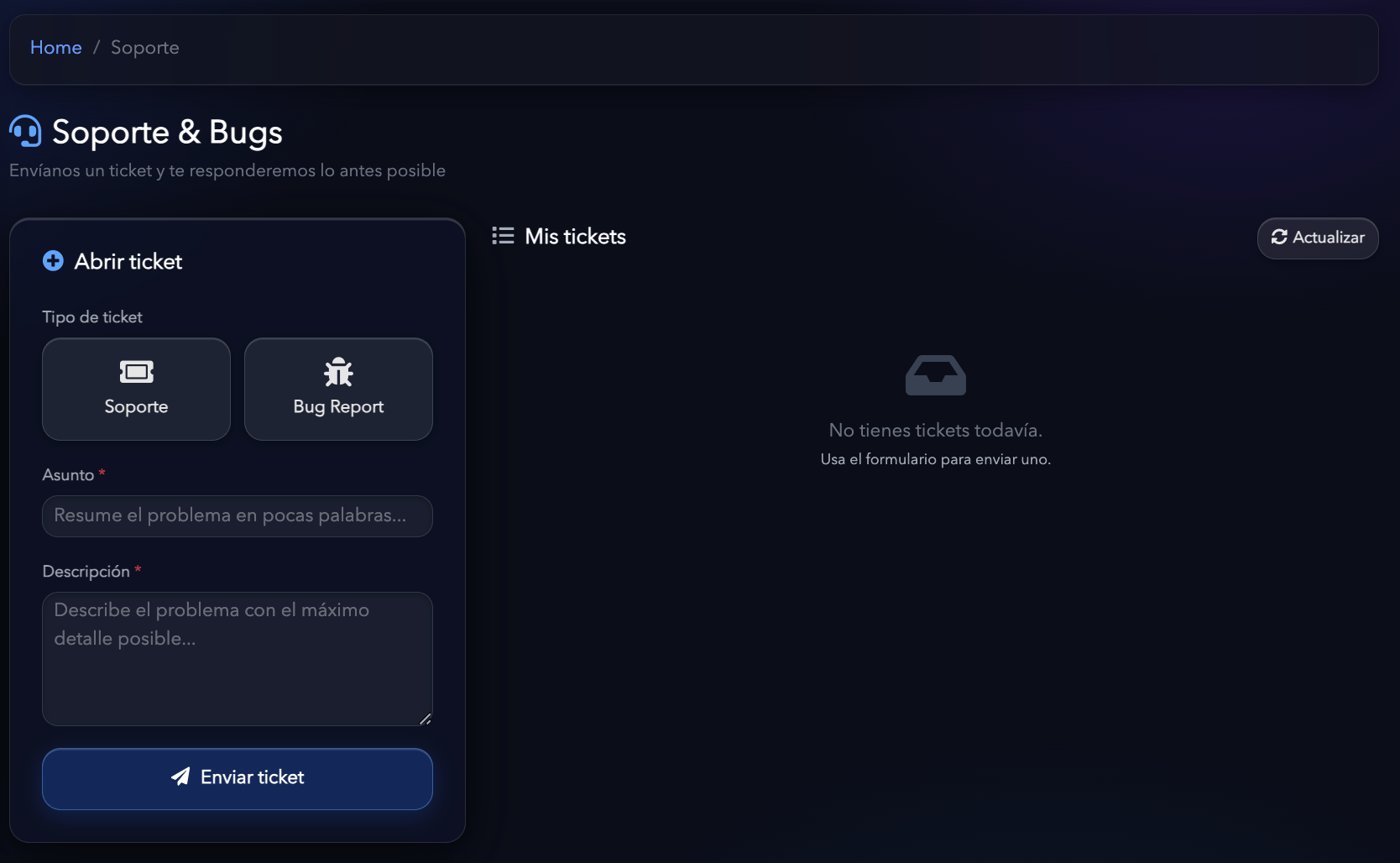
- Support
- Bug Report
Subject
Write a short, clear summary of your question or problem. For example:- I can’t connect Stripe.
- Question about an automation.
- The checkout doesn’t load.
- Problem saving a template.
- Meta events aren’t showing up.
Description
Explain your question or problem in as much detail as possible. If you’re reporting an error, try to include:- What action you were performing.
- Which section the problem occurred in.
- What you expected to happen.
- What actually happened.
- Whether the problem always happens or only sometimes.
- Any other detail that could help reproduce the error.
My tickets
In the My tickets section you can see all the tickets you’ve opened. From here you can check their status, open each ticket’s details and continue the conversation with the Hurry team.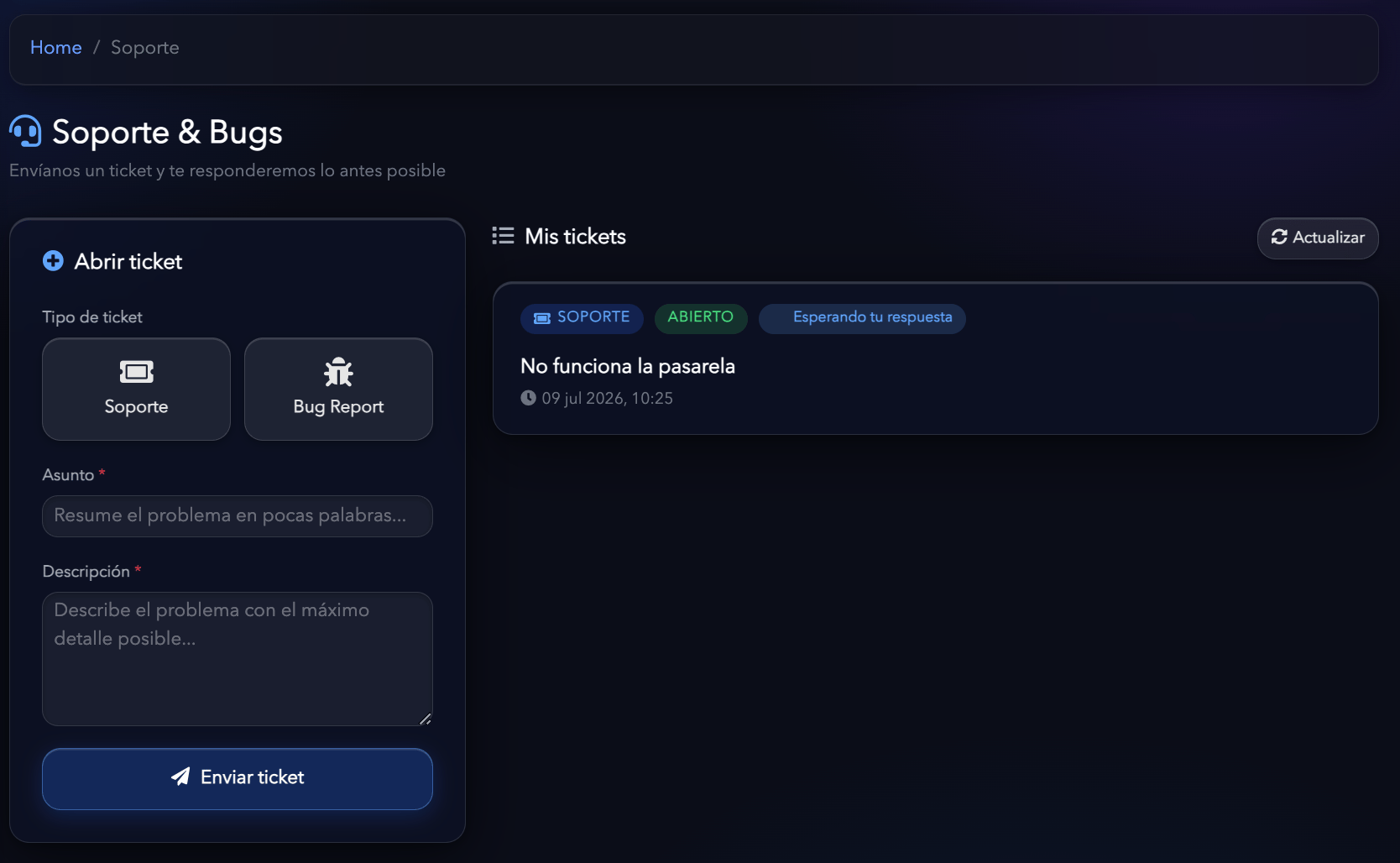
Conversation within the ticket
Each ticket has its own conversation thread. Within the ticket you can:- See your initial message.
- Read the support team’s replies.
- Answer the team’s questions.
- Add new information about the problem.
- Run tests and share the results.
- Continue the conversation until the question is resolved.

Support or Bug Report?
If you’re not sure which option to use:
If you’re not sure which type to select, open a Support ticket and the team will review your case.
Tips for getting help faster
So we can help you as quickly as possible:- Use a clear subject.
- Explain the problem in detail.
- Say which store or feature is affected.
- Describe the steps you took before the error.
- Don’t open several tickets for the same problem.